 listicle
Top 10 Construction Management Tools for Homeowners
Table of Contents
- Quick Comparison Table
- 1. Timeless General Contracting: Red Seal Certified Project Portal
- 2. Buildertrend: Client Communication and Change Order Management
- 3. Houzz Pro: Design-Build Integration with Financial Tools
- 4. Fieldwire: Field Reporting and Real-Time Plan Markup
- 5. Trello, Asana, and monday.com: Flexible Task Management Platforms
- How to Manage a General Contractor Using Digital Tools
- Creating a Home Renovation Project Management Checklist
Last Updated: August 20, 2026
Quick Comparison Table
| Tool | Free Tier | Starting Price | Best For | Key Strength |
|---|---|---|---|---|
| Timeless General Contracting | No | Custom quote | Custom builds & high-performance renovations | Red Seal certified + real-time Client Portal |
| Buildertrend | No | $399/month | Residential builders managing multiple projects | Client communication & change order tracking |
| Houzz Pro | Yes | $65/month | Design-build remodelers | 3D visualization + integrated financial tools |
| Fieldwire | Yes | US$39/month per user | Field teams needing plan markup & task management | Real-time blueprint annotations |
| Trello | Yes | $5/user/month | Simple task tracking for small teams | Visual Kanban boards, easy to learn |
| Asana | Yes | $10.99/user/month | Structured project management with timelines | Gantt charts + workflow automation |
| monday.com | Yes | $9/seat/month | Highly customizable project visualization | Flexible boards + strong automation |
| ClickUp | Yes | $7/user/month | All-in-one platform replacing multiple tools | Unlimited tasks + native time tracking |
| Smartsheet | Yes | $9/user/month | Spreadsheet-familiar teams needing power | Spreadsheet interface + Gantt views |
| Procore | No | Custom (enterprise) | Large-scale builds with multiple stakeholders | Comprehensive lifecycle management |
1. Timeless General Contracting: Red Seal Certified Project Portal
Timeless General Contracting combines 25 years of industry experience and Red Seal certification with an innovative Client Project Portal that keeps you informed in real-time throughout your custom home build or high-performance renovation.
Red Seal certification means the contractor has met rigorous national standards for technical knowledge and practical competency, a verifiable credential that separates professionals from those cutting corners. Their Client Project Portal tracks your build from day one, giving you visibility into progress, timelines, and decisions without constant phone calls or email chains. This addresses the biggest pain point homeowners face: weeks of silence followed by surprises.
Rather than bolting on a portal as an afterthought, Timeless General Contracting has built real-time tracking into their daily workflow. For homeowners worried about scope creep and cost spirals, this level of transparency is the first line of defense.
2. Buildertrend: Client Communication and Change Order Management
Buildertrend is purpose-built for residential construction, excelling at the two things that derail most renovation projects: communication breakdowns and uncontrolled change orders.
The client portal lets homeowners see project progress, approve selections, and track changes without flooding your contractor's inbox. For contractors managing multiple projects, this saves hours per week. The change order workflow documents every modification, prices it, and requires approval within the system, creating an audit trail that protects both parties.
Project scheduling uses drag-and-drop Gantt charts for task dependencies and critical path visibility. Daily logs capture on-site activity, and budgeting integrates purchase orders and invoicing for real-time budget tracking.
At $399/month for the Essential plan, Buildertrend isn't cheap for a single homeowner. It's designed for contractors running multiple builds, so you're paying for features you might not need. Setup requires a demo, and the learning curve is steeper than simpler tools.
3. Houzz Pro: Design-Build Integration with Financial Tools
Houzz Pro bridges design visualization and project execution. If your renovation involves significant design decisions, new layouts, and material selections, the 3D floor planning and mood board tools let you see the vision before construction starts.
The platform combines CRM for client management with project scheduling, financial tools for estimates and invoices, and QuickBooks integration. Design-build projects require constant back-and-forth on selections, and Houzz Pro keeps all of that in one place. AI-powered proposal generation reduces administrative overhead.
Contractors and designers can show clients exactly what they're building, reducing the gap between expectation and reality. For high-performance renovations involving energy-efficiency upgrades or structural changes, this clarity is valuable.
Customer service gets mixed reviews, and subscriptions require 12-month annual billing with no early cancellation. Pricing starts at $65/month for the Starter plan.
4. Fieldwire: Field Reporting and Real-Time Plan Markup
Fieldwire excels at plan viewing, version control, and real-time annotations. Contractors can markup blueprints directly on tablets, and changes sync instantly across the team.
Task management integrates with the plans themselves. Assign work directly on a blueprint, set due dates, and track completion without switching apps. The ability to work offline and sync when connection returns is a practical feature most platforms overlook.
For homeowners, you can see what work is assigned, in progress, and completed, all tied to your actual blueprints. This eliminates constant check-in calls about what's happening.
The Pro plan (US$39/month per user billed annually) includes real-time plan markup and task management. There's no free trial for paid plans, so you're committing before fully evaluating the interface.

5. Trello, Asana, and monday.com: Flexible Task Management Platforms
These three platforms represent the flexible, customizable end of the spectrum. They're not construction-specific, but that flexibility is why many homeowners prefer them.
Trello uses visual Kanban boards where cards move through columns (To Do, In Progress, Done). The interface is intuitive enough that contractors unfamiliar with project management software can figure it out in minutes. Pricing starts at $5/user/month. The tradeoff is lack of advanced features like Gantt charts, so complex projects with many dependencies can become unwieldy.
Asana offers more structure with task hierarchies, timelines, and Gantt charts. Workflow Builder enables automation, for example automatically assigning follow-up tasks when a phase completes. Starting at $10.99/user/month, Asana scales better than Trello for moderately complex projects.
monday.com is highly customizable with strong automation and integrations. Pricing starts at $9/seat/month with a 3-seat minimum for paid plans. The platform's flexibility means you can shape it to your workflow, but that customization requires upfront setup effort.
All three have generous free tiers, making them low-risk experiments. None are construction-specific, so they lack blueprint markup or change order workflows. They work best when your contractor already uses one of these platforms.
How to Manage a General Contractor Using Digital Tools
Managing a contractor effectively means establishing clear communication channels and creating visibility into progress without micromanaging. Digital tools make this possible, but only if both parties commit to using them consistently.
Start by agreeing on the tool before work begins. The best tool is the one your contractor will actually use; pushing a reluctant contractor into unfamiliar software wastes time and creates resentment.
Establish rhythms for communication: weekly progress updates, scheduled check-ins, and clear escalation paths. Document decisions in the tool, selections, change orders, timeline adjustments, so there's no ambiguity later about what was agreed to.
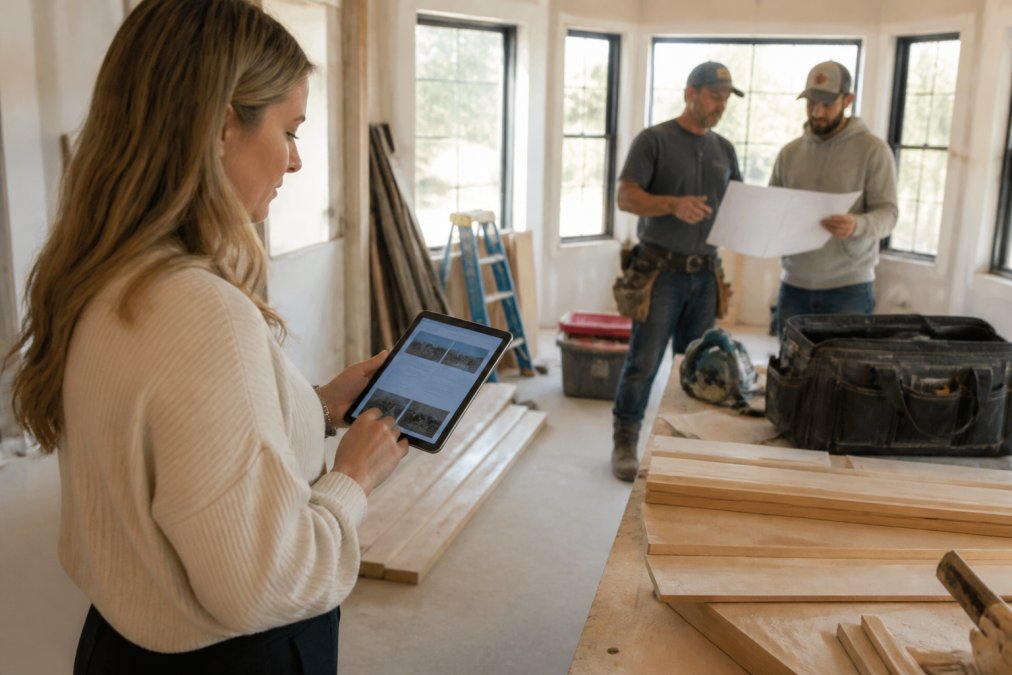
Use the tool to track three critical elements: timeline (scheduled versus actual progress), budget (approved costs versus actual spend), and quality (punch lists and issue resolution). For change orders, require written documentation before work begins. The tool should show the original scope, proposed change, cost impact, and your approval.
Red Seal certified contractors like Timeless General Contracting integrate this transparency into their standard workflow. Their Client Project Portal isn't optional; it's how they operate. This signals that transparency is core to their business.
Creating a Home Renovation Project Management Checklist
A renovation checklist ensures nothing falls through the cracks and creates a shared reference point between you and your contractor about what's supposed to happen.
Start with pre-construction planning: define scope in writing, establish your budget, verify Red Seal certification, and confirm insurance coverage and permits.
During construction, track weekly:
- Schedule adherence: Is the project tracking to timeline?
- Budget tracking: Are costs tracking to estimate? Have change orders been approved in writing?
- Quality checkpoints: Are inspections happening on schedule?
- Safety compliance: Is the site maintained safely?
- Communication: Are status updates happening on schedule?
Post-construction, create an as-built record documenting what was actually built, including photos, warranties, and maintenance instructions.
Which Tool Should You Choose?
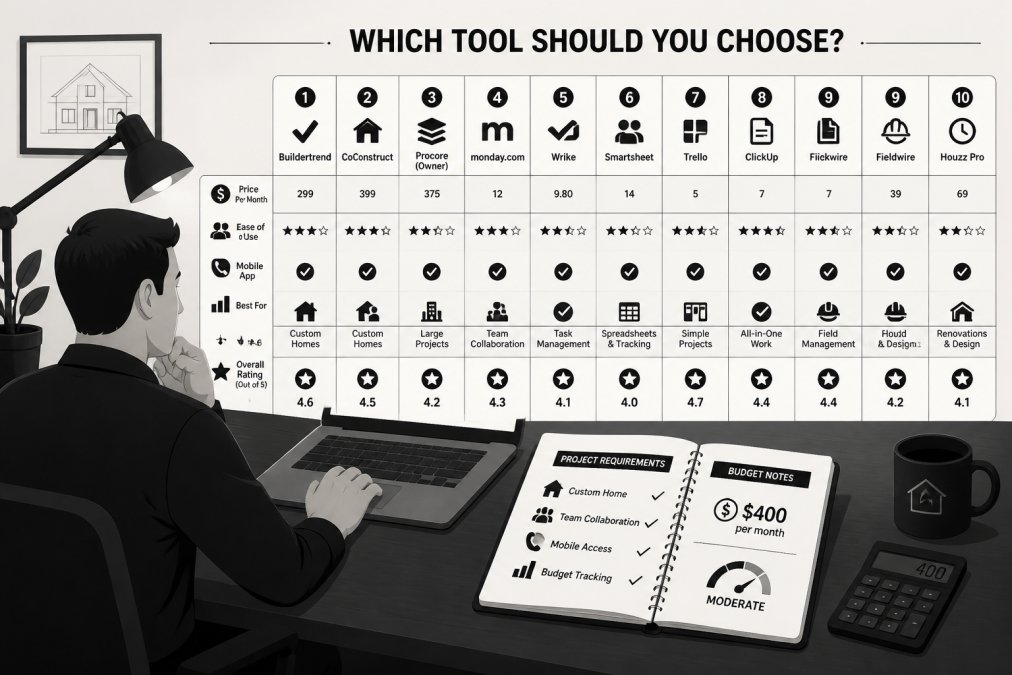
Your choice depends on project complexity, your comfort with technology, and whether your contractor already uses a specific platform.
For simple projects with a single contractor and straightforward scope, Trello or basic monday.com is sufficient. You need visibility into what's happening and when.
For moderately complex renovations with multiple trades and material selections, Asana or Houzz Pro add structure that prevents scope creep. Asana works if your contractor is tech-comfortable; Houzz Pro adds design visualization if that's a major part of your project.
For custom builds or complex high-performance renovations, purpose-built construction software like Buildertrend or Fieldwire earns its cost through better change order management and budget tracking. If your contractor already uses one, that's your answer.
The real competitive advantage goes to contractors who've already invested in these systems. Timeless General Contracting's Client Project Portal is evidence that transparency is built into how they operate. When evaluating contractors, ask which tools they use and how they'll keep you informed. The answer tells you whether communication is an afterthought or a core value.
Managing a construction project requires visibility, clear communication, and documented decisions. The right tool makes all three easier, but only if both sides commit to using it consistently. Timeless General Contracting combines Red Seal certification with real-time project tracking through their Client Project Portal, ensuring you stay informed throughout your build. Whether you're working with them or another contractor, implementing one of these platforms transforms a typically opaque process into a transparent partnership where both parties know exactly where things stand.
Frequently Asked Questions
What is a Red Seal contractor and why does it matter for my home project?
A Red Seal contractor holds interprovincial certification in their trade, meeting consistent standards across Canada. This credential means your contractor has passed rigorous exams and maintains current knowledge of building codes and safety standards. For homeowners, working with a Red Seal certified professional reduces risk, ensures compliance with regulations, and signals genuine expertise. Timeless General Contracting's Red Seal certification reflects 25 years of experience and commitment to industry standards, giving you confidence in workmanship quality and professionalism throughout your build or renovation.
Do I really need construction management software for a home renovation?
For smaller projects, a simple spreadsheet or checklist may suffice. However, construction management software becomes invaluable when managing complex renovations, custom builds, or coordinating multiple trades. Digital tools prevent miscommunication, track budget changes in real-time, document daily progress, and give you visibility into your project's status. If you value transparency and want to avoid costly delays or scope creep, software pays for itself by keeping everyone aligned. Most homeowners find that even mid-sized projects benefit from organized task management and cost tracking.
What features should I prioritize in a construction management tool?
Start with real-time collaboration features so you can stay informed without constant phone calls. Budget tracking and change order management prevent surprise costs. Mobile accessibility allows you to view plans and updates from the job site. Document management ensures all blueprints, permits, and contracts are organized in one place. Task assignment and milestone tracking keep work on schedule. If you're working with a contractor like Timeless General Contracting, a client portal that syncs with their internal project management system eliminates communication gaps and gives you confidence in progress tracking.
Can I use free tools like Trello for a major home build or renovation?
Free tools work well for basic task organization and small teams, but they lack specialized construction features. Trello excels at visual task tracking but doesn't handle budget forecasting, change orders, or detailed cost estimation. For a major custom home build or complex renovation, you'll want software with financial management, document version control, and field reporting capabilities. Tools like Buildertrend or Houzz Pro offer construction-specific features that prevent costly mistakes. The cost of professional software is typically offset by better cost control and fewer project delays.
This article was written using GrandRanker