 how-to
How to Track Construction Project Progress: A Step-by-Step Guide
Table of Contents
- What You'll Need to Track Construction Project Progress
- Step 1: Establish a Centralized Data Hub for Project Information
- Step 2: Define Milestones, KPIs, and the Critical Path Method
- Step 3: Implement Daily Reports and Visual Tracking Tools
- Step 4: Choose Construction Project Management Software
- Step 5: Calculate Percentage of Completion in Construction
- Step 6: Create a Construction Progress Report Template
- Common Mistakes to Avoid When Tracking Construction Project Progress
How to Track Construction Project Progress: A Step-by-Step Guide
Last Updated: July 10, 2026
Learning how to track construction project progress is essential for keeping projects on schedule, within budget, and meeting quality standards. At Timeless General Contracting, we've spent 25 years managing complex builds across Pictou County, and transparent progress tracking has become the backbone of our operations. This guide walks you through establishing centralized data systems, calculating earned value, and automating stakeholder updates.
Most construction teams still rely on fragmented spreadsheets, email chains, and manual inspections to monitor advancement. This creates blind spots, delays decision-making, and frustrates stakeholders. Below, we'll show you how to implement a modern system that gives you real-time visibility into every aspect of your build.
What You'll Need to Track Construction Project Progress
Start with a centralized location for all project data: cloud storage (Google Drive, OneDrive, Dropbox) or construction-specific software like Procore or Touchplan. You'll need field data collection tools, a smartphone or tablet with a camera for documenting completed work, material deliveries, and site conditions. Apps that geotag and timestamp photos automatically create an audit trail invaluable for disputes.
Assign a single project owner (typically the superintendent or project manager) responsible for overall tracking and maintaining the centralized data hub. Subcontractors should submit simple daily or weekly progress reports: a photo plus a one-sentence status update beats lengthy narratives. Site supervisors need authority to photograph work, document delays, and flag issues immediately. At Timeless General Contracting, the project manager cross-checks superintendent reports against actual site conditions weekly.
Step 1: Establish a Centralized Data Hub for Project Information
Your centralized hub should contain: the original project schedule with dependencies, approved budget with cost codes, daily progress reports, site photos, RFIs, change orders, and subcontractor contact information. Cloud-based platforms like Procore, Touchplan, or Monday.com create a single source of truth that updates in real time. When the electrician submits a progress photo, the superintendent sees it immediately. When the project manager approves a change order, all stakeholders get notified automatically.
Real-time data means information flows continuously, not in weekly batches. The superintendent logs progress daily, ideally at shift end. Mobile apps let field teams photograph completed work, note delays, and upload directly from the job site with automatic timestamps and geolocation.
Step 2: Define Milestones, KPIs, and the Critical Path Method
KPIs translate project goals into measurable metrics. Common construction KPIs include: percentage of completion by phase, schedule variance, budget variance, safety incidents, and rework percentage. For a residential custom home, KPIs might be: foundation completion within 2 weeks of scheduled date, framing with zero rework items, MEP rough-in on schedule, and budget variance under 5%.
The critical path is the sequence of tasks that determines your project end date. Any delay on the critical path delays the entire project. For a home build, it typically flows: site preparation → foundation → framing → MEP rough-in → drywall → finish work → final inspection. When tracking daily progress, focus extra attention on critical-path tasks. A one-day foundation delay is serious; a one-day painting delay may not matter.
Step 3: Implement Daily Reports and Visual Tracking Tools
A daily progress report should answer: What work was completed today? What's scheduled for tomorrow? What issues occurred? Include: date, weather conditions, crew count by trade, work completed (with specific tasks), work in progress, work scheduled for tomorrow, safety incidents, RFIs or change orders, and photos. Keep narrative descriptions brief, two sentences maximum per item.
Photos are critical. A photo of completed framing shows progress more clearly than "framing 40% complete." Photograph the same areas at the same time each day so you can compare and create a visual timeline. Establish a photo protocol with specific angles and locations photographed each day. Store all photos in a date-organized folder structure with clear labels: 2026-07-10-Foundation-NorthCorner.jpg.
At Timeless General Contracting, we use our Client Project Portal to share daily updates with homeowners. This transparency builds trust and gives clients confidence that their project is moving forward.
Step 4: Choose Construction Project Management Software
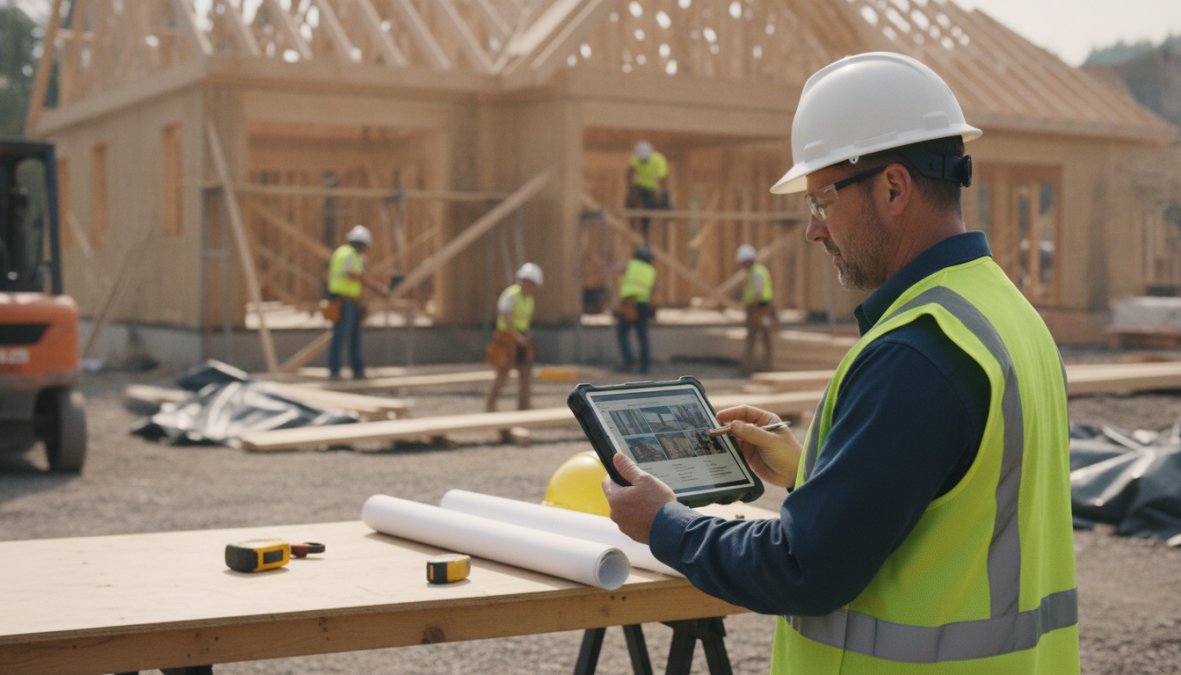
Look for software that handles: real-time progress updates, schedule management with critical path visibility, budget tracking with cost codes, photo/document management, RFI and change order workflows, and automated reporting. Integration matters enormously. Your software should connect to your accounting system so budget data stays current and sync with your scheduling tool so daily progress updates automatically recalculate your completion date.
Mobile functionality is non-negotiable. If your field teams can't update progress from the job site using a smartphone, you're creating friction that kills adoption. Building Information Modeling (BIM) creates a digital 3D model of the entire building with all systems integrated. Progress tracking software that connects to your BIM model can show exactly which components are complete, in progress, or not yet started.
Step 5: Calculate Percentage of Completion in Construction
There are three common methods: units complete, cost-based, and schedule-based. Units complete is straightforward for discrete components. If your project has 50 rooms and 20 are complete, you're 40% done. Cost-based completion divides actual costs incurred by total budgeted costs. Schedule-based completion compares actual work done to planned work. The best approach combines all three.
Earned value combines schedule and budget performance. Calculate earned value as: (Percentage Complete) × (Total Budget). If your project is 40% complete and the total budget is $1,000,000, your earned value is $400,000. If you've actually spent $450,000, you're over budget by $50,000 on the work completed so far. Track earned value monthly at minimum and plot it on a chart alongside actual spend and planned spend.
Step 6: Create a Construction Progress Report Template
Your template should include: Project Overview (name, reporting period, total budget, total schedule duration), Progress Summary (overall percentage complete, schedule status, budget status, key milestones), Schedule Performance (planned vs. current forecast completion date, schedule variance, critical-path status), Budget Performance (total budgeted cost, actual spend, earned value, cost variance), Work Completed This Period (by phase or trade), Work Scheduled Next Period, Issues and Risks (with mitigation actions), Photos (3-5 recent site photos), and Approvals (signatures from project manager and superintendent).
Once you have a template, automate its generation. Most construction project management software can pull data automatically and populate a report template. Set up email automation to send reports on a fixed schedule, weekly for active projects, monthly for slower-paced projects. Create different report versions for different audiences. Your superintendent needs granular detail; your homeowner client needs a summary showing overall progress and upcoming milestones.
Common Mistakes to Avoid When Tracking Construction Project Progress
The biggest mistake is letting data live in separate systems. When the superintendent tracks progress in one spreadsheet, the accountant tracks budget in another, and the scheduler manages the timeline in a third, you get conflicting information and poor decisions. Implement a single platform where all data lives. When the superintendent logs progress, the schedule recalculates automatically.
Changes happen on every project. If you don't track them formally, your progress metrics become meaningless. Require a formal change order process. When scope changes, document the impact on schedule and budget before approving. Update your baseline schedule and budget to reflect approved changes. Hold a pre-construction meeting where you walk through the schedule, explain dependencies, and clarify expectations for daily reporting.
Quality assurance and quality control should be integrated into your progress tracking. When you log work as complete, also log QA/QC status. Has it been inspected? Does it pass? Your daily progress reports, photos, and change orders create a legal record of what happened. Store all documentation systematically with consistent naming conventions, organized by date and phase, and backed up to cloud storage.
Tracking construction project progress is foundational to professional project delivery. Teams that master this process complete projects on schedule, within budget, and with minimal rework. At Timeless General Contracting, our 25 years of experience has taught us that transparency in tracking builds client trust and team accountability. Our Client Project Portal gives homeowners real-time visibility into their custom build with daily photos, progress updates, and honest schedule forecasting. For more information, explore construction project management best practices and consider how tools like Procore's project tracking solutions integrate with your existing workflows. The National Association of Home Builders guidance on project management provides industry standards for tracking and reporting that protect both builders and homeowners.
| Tracking Element | Purpose | Update Frequency | Owner |
|---|---|---|---|
| Daily Progress Reports | Document work completed and issues | Daily | Superintendent |
| Percentage of Completion | Measure overall project advancement | Weekly | Project Manager |
| Schedule Variance | Compare actual vs. planned progress | Weekly | Project Manager |
| Budget Variance | Track spending against budget | Weekly | Accountant |
| Critical Path Status | Monitor tasks that affect end date | Daily | Superintendent |
| Change Order Log | Document scope changes and impacts | As needed | Project Manager |
| QA/QC Inspection Records | Verify work quality before marking complete | Per phase | Quality Inspector |
| Stakeholder Reports | Communicate progress to clients/lenders | Weekly/Monthly | Project Manager |
Frequently Asked Questions
What are the best methods for tracking construction progress?
The most effective methods combine real-time data collection, centralized project management software, daily reports, and visual documentation. Use a combination of milestone tracking, KPI monitoring, and the critical path method to measure project advancement. Digital tools that integrate field data collection with BIM and automate progress updates provide superior project visibility compared to manual tracking alone.
How do you calculate percentage of completion in construction?
Percentage of completion can be calculated using three main approaches: cost-based (comparing actual costs to budgeted costs), schedule-based (comparing completed tasks to total tasks), or units-based (physical work completed). Most construction projects use earned value analysis, which combines budget and schedule data. Track milestone completion and resource allocation to ensure accurate progress calculations throughout the project lifecycle.
What should be included in a construction progress report template?
A comprehensive construction progress report should include: project overview and current status, completed tasks and milestones achieved, budget tracking and cost analysis, schedule adherence and timeline updates, site inspection findings and QA/QC results, resource allocation details, subcontractor performance metrics, risk mitigation updates, and visual documentation (photos/videos). Automate progress updates where possible to reduce superintendent workload and improve stakeholder communication.
How can construction project management software improve tracking?
Construction project management software centralizes project data, enables real-time progress monitoring, automates daily report generation, and integrates QA/QC tools with workflow automation. Advanced platforms support BIM integration, field data collection from mobile devices, MEP coordination tracking, and automated stakeholder communication. This digital transformation reduces manual documentation time, minimizes data silos, and provides immediate visibility into project performance metrics and KPIs.
This article was written using GrandRanker