 listicle
Best High-Performance Renovations for Centralized Project Management
Table of Contents
- Quick Comparison: Centralized Project Management Tools for Renovations
- What Centralized Project Management Means for High-Performance Renovations
- Construction Project Management Software for Homeowners: Top Options Reviewed
- Buildertrend: Residential Workflow and Client Portal
- Procore: Enterprise Document Control and Field Integration
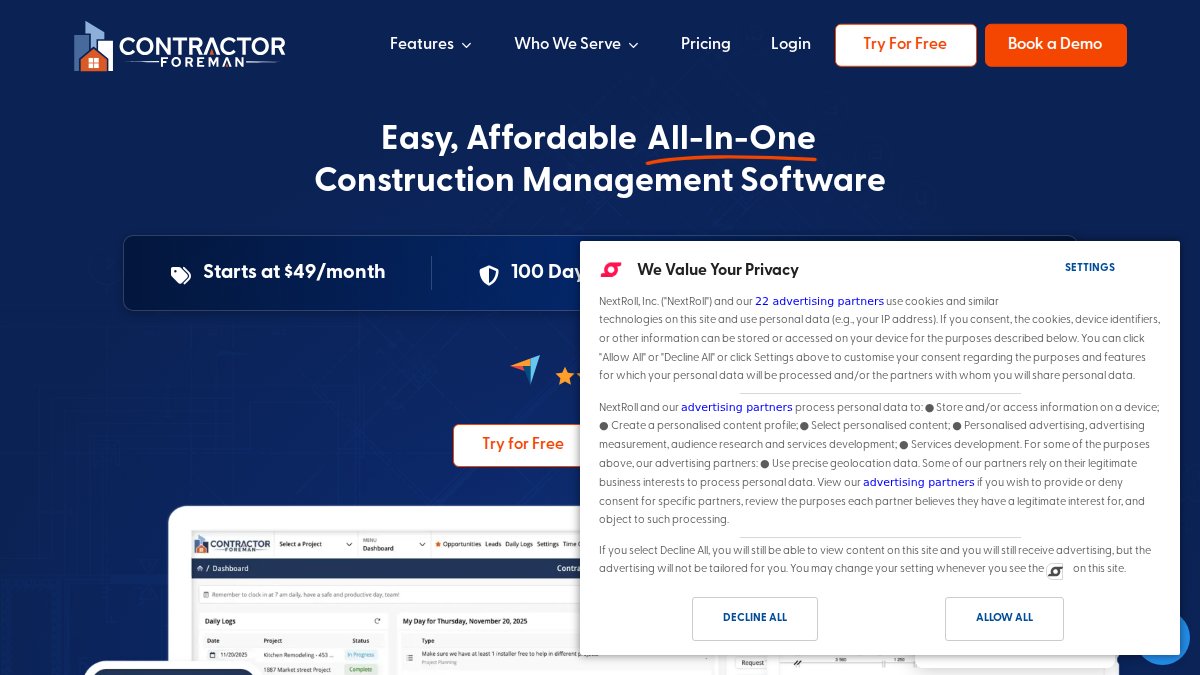
- Contractor Foreman: Budget-Friendly Feature Set
- Houzz Pro: Visual Tools for Design-Build Renovations
- Autodesk Construction Cloud: Design and Engineering Coordination
- TeamGantt: Visual Scheduling for Timeline-Driven Projects
- RedTeam: Full Lifecycle and Compliance Management
- Connecteam: Mobile-First Field Communication
- Projul: Simple Residential Sales and Project Tracking
- Best Practices for Residential Renovation Project Management
- How to Track Renovation Progress in Real-Time
- Change Order Management and Financial Tracking Workflows
- Why Timeless General Contracting Delivers Centralized Project Management
- Frequently Asked Questions
Last Updated: September 14, 2026
Quick Comparison: Centralized Project Management Tools for Renovations
The best high-performance renovations pair a capable platform with a contractor who uses it. This guide from Timeless General Contracting breaks down the top platforms and shows how centralized project management makes a complex renovation predictable and transparent.
Here's the short version before the detail:
| Tool | Starting Price | Best For | Standout Feature |
|---|---|---|---|
| Timeless General Contracting | Quote-based | High-performance residential renovations | Real-time Client Project Portal |
| Buildertrend | $449/month | Residential remodelers | Client portal and change orders |
| Procore | Contact for pricing | Mid-to-large contractors | Document control and field tools |
| Contractor Foreman | $49/month | Budget-conscious crews | 35+ built-in features |
| Houzz Pro | Contact for pricing | Design-build firms | 3D visual planning tools |
| Autodesk Construction Cloud | Contact for pricing | Complex design coordination | BIM and version control |
| TeamGantt | $24/month | Timeline-driven teams | Drag-and-drop Gantt charts |
| RedTeam | Contact for pricing | Full lifecycle control | Compliance and reporting |
| Connecteam | $29/month | Field-heavy teams | Mobile-first communication |
| Projul | Contact for pricing | Simple residential tracking | Sales-to-project pipeline |
What Centralized Project Management Means for High-Performance Renovations
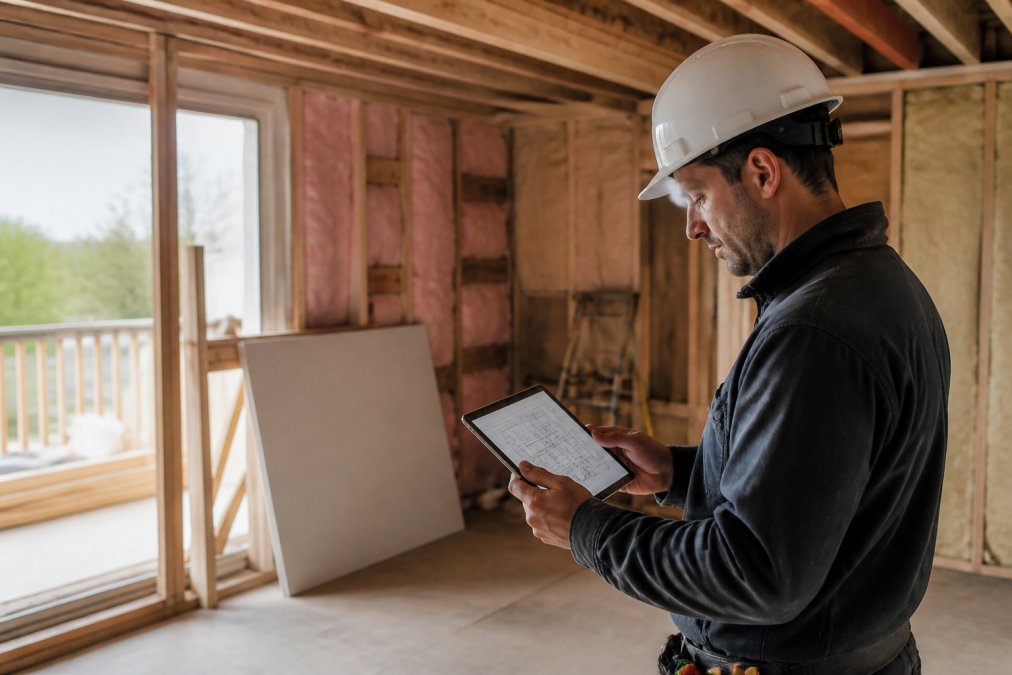
Centralized project management means running every document, schedule, budget line, and approval through one shared system instead of scattering them across email, spreadsheets, and texts. For a high-performance renovation, that single source of truth keeps energy modeling, structural work, and finishing trades in sequence.
A high-performance renovation typically layers several complex scopes at once: air sealing, upgraded insulation, mechanical systems, and often structural changes. Each trade depends on the one before it. When coordination lives in one place, a delay in one scope surfaces immediately rather than three weeks later. According to Canada Mortgage and Housing Corporation guidance on high-performance housing, integrated planning is one of the strongest predictors of how well an energy-efficient build performs in practice.
Key Features That Matter for Renovation Projects
A useful platform comes down to four capabilities: document control, financial tracking, subcontractor management, and real-time visibility.
- Document control with version history, so the latest drawing always wins
- Financial tracking tied to the live budget, not a month-old spreadsheet
- Subcontractor management for bids, scheduling, and communication
- Real-time visibility into progress for both the office and the client
- Mobile accessibility so field crews update status from the site
Construction Project Management Software for Homeowners: Top Options Reviewed
Construction project management software for homeowners ranges from enterprise platforms to lightweight apps for a single renovation. The right pick depends on project complexity, budget, and how much transparency you want.
Buildertrend: Residential Workflow and Client Portal
Buildertrend is built for residential builders and remodelers, with a client portal for progress updates and change order approvals. At $449/month it's a serious investment, and field staff often need real training before daily logs become habit.
Procore: Enterprise Document Control and Field Integration
Procore is the heavyweight for document control and field-to-office communication. Mobile tools let crews file reports and photos that land instantly in the project record, and its API library connects to third-party systems. The catch is cost: custom pricing based on construction volume puts it out of reach for most single-home renovations.

Contractor Foreman: Budget-Friendly Feature Set
At $49/month, Contractor Foreman undercuts nearly everything else here while packing in time cards, GPS tracking, estimating, and digital signatures. The tradeoff is density: with 35+ features in one interface, the learning curve is real until you hide what you don't use.
Houzz Pro: Visual Tools for Design-Build Renovations
Houzz Pro wins on presentation. Its 3D floor planner and mood boards show clients exactly what a finished space will look like, and built-in CRM and website tools help design-build firms generate leads. It falls short on heavy scheduling, though, less capable than dedicated construction platforms when timelines get complicated.
Autodesk Construction Cloud: Design and Engineering Coordination
For renovations involving detailed design and engineering, Autodesk Construction Cloud is hard to beat. BIM coordination, automated document version control, and tight AutoCAD and Revit integration keep drawings and models in sync across disciplines. It's overkill for a kitchen remodel, but for a complex high-performance retrofit, that coordination is the point.
TeamGantt: Visual Scheduling for Timeline-Driven Projects
TeamGantt does one thing exceptionally well: visual scheduling. Drag-and-drop Gantt charts and dependency tracking show how a delay in one phase ripples through the rest. It starts at $24/month with a free tier, but lacks built-in construction financials, so you'll still need accounting software alongside it.
RedTeam: Full Lifecycle and Compliance Management
RedTeam covers the full project lifecycle, from pre-construction through closeout, with strong contract management, submittal tracking, and reporting. It fits commercial and large residential work where governance and compliance matter. Expect a meaningful setup period before it runs smoothly.
Connecteam: Mobile-First Field Communication
Connecteam is the best mobile-first option for field crews. Digital forms, checklists, time tracking, and internal messaging all work well on a phone, which matters when your team is on site all day. It isn't a full project management platform, so pair it with something that handles budgets and schedules.
Projul: Simple Residential Sales and Project Tracking
Projul keeps things simple for small residential contractors, handling lead tracking, scheduling with client updates, and invoicing in one clean interface non-technical users pick up quickly. Integration options are limited versus larger platforms, so it suits straightforward projects best.
Best Practices for Residential Renovation Project Management
The strongest best practices for residential renovation project management come down to one principle: decide everything in writing, in one place, before it becomes a dispute. Renovations go sideways when scope, budget, and schedule live in different systems. High-performance projects carry a higher coordination burden, energy modeling, air sealing, mechanical sequencing, and envelope work all interlock, so the practices below target the phases where they fail.
Phase 1: Pre-Construction, Lock the Baseline
Before demolition, the project needs a single signed baseline covering scope, drawings, budget, and schedule. In high-performance work, that baseline should also include energy and air-tightness targets, because those numbers drive insulation specs, mechanical sizing, and detailing. Run a pre-construction kickoff where the general contractor, energy advisor, and key trades review the same documents in the same system, if the energy advisor's recommendations live in a PDF that never reaches the framing crew, the target is already at risk.
- Lock the scope in a signed document before demolition starts
- Record the energy and air-tightness targets in the same system as the drawings
- Confirm long-lead items (heat pumps, windows, specialty insulation) with lead times in writing
- Set the change-order process before the first change request arrives
Phase 2: Construction, Control the Interfaces
Most renovation failures happen at the interfaces between trades, not inside any single trade's work. Air sealing depends on framing; insulation depends on air sealing; mechanical rough-in depends on both. When each trade updates the shared system the same day, the next trade sees real status instead of a phone-call version.
- Hold a short weekly walkthrough and log it in the system
- Keep one budget that everyone can see, updated as invoices land
- Photograph progress at each milestone for the record
- Require field updates the same day the work happens, not at week's end
Phase 3: Closeout and Handover, Don't Stop at the Walkthrough
This is the phase most guides skip, and it is where high-performance renovations either hold their value or quietly degrade. A renovation that hits its air-tightness target on commissioning day can lose that performance within a season if the owner doesn't know how to operate the mechanical systems or where the filtration and ventilation components are. The handover package should include as-built drawings, equipment manuals, commissioning results, filter schedules, and a maintenance calendar, all stored in the same centralized system so the next contractor can find them.
- Compile as-built drawings and commissioning records in the project system
- Hand over a maintenance schedule for mechanical and envelope components
- Record warranty terms and expiry dates against the relevant assets
- Give the owner read-only access to the archive after closeout
The Documentation Discipline That Ties It Together
Every practice above depends on one habit: the update happens in the system, not in a side channel. A verbal agreement, text message, or hallway conversation is not a record. When a homeowner asks for "just one more thing" and the contractor agrees on a handshake, the cost and timeline impact get lost. Every verbal change should be written up and approved before the work happens, and if the electrician tells the HVAC contractor something on site, it needs to land in the shared system or it did not happen.
The most expensive mistake in a renovation is a verbal change order. It is also the most common. Build the written-approval habit before the first change request, because by the time a dispute starts, the record is already set.
How to Track Renovation Progress in Real-Time
Real-time tracking works when the field updates the system the same day the work happens, not at week's end. That means mobile-first tools, clear status stages, and a client view that doesn't require a phone call to interpret. The part most guides leave out is the hardware layer: the tablets, phones, scanners, and sensors that capture the data, and how it gets from site to office without manual re-entry.
The Office-to-Field Data Flow
A practical setup: define your project stages, have crews mark each task complete from a phone, attach photos to milestones, and give the owner read-only access to a live dashboard. When a field worker taps "done" on a tablet, that status should sync to the office dashboard and client portal without anyone copying it into a spreadsheet, if the sync requires a laptop and a form, crews will skip it.
- Ruggedized tablets or phones with offline mode, so updates survive a basement with no signal
- Photo capture with automatic timestamp and geotag, so the record is defensible
- Barcode or QR scanning on delivered materials, so what arrived matches what was ordered
- Laser distance meters and phone-based measurement apps that push dimensions straight into the system
- Optional drone or 360-degree camera passes at milestones for a visual record of concealed work
What Each Hardware Layer Buys You
The trade-off is always cost and complexity versus the value of the record. A phone camera is free and good enough for most progress photos. A 360-degree camera captures an entire room in one shot, invaluable when a wall is about to be closed up and someone later asks what was behind it. Laser scanners produce accurate as-built geometry but need processing time and a trained operator, usually only justified on large or complex retrofits. The right question isn't "what is the best hardware" but "what record will I wish I had if a dispute or warranty claim arrives in two years."
Making the Client View Useful
The owner-facing dashboard should show stages, photos, upcoming milestones, and approved change orders, nothing more. A live feed of every task update overwhelms a homeowner and trains them to ignore the portal. A common pattern is a weekly digest plus on-demand access to the full record, so the client gets a predictable update without the contractor fielding daily status calls.
Verifying Performance, Not Just Progress
For a high-performance renovation, tracking progress is not only about schedule. It is also about verifying that the work performs as designed. According to Natural Resources Canada's guidance on home energy efficiency, documenting each stage of an energy upgrade helps verify that the finished work performs as designed. That means capturing blower-door results, insulation R-values as installed, and mechanical commissioning data in the same system as the schedule. When those numbers live next to the photos and the change orders, the handover package writes itself, and the owner has proof of what they paid for.
Real-time tracking is a data pipeline, not a dashboard. Get the capture right at the point of work, and the reporting, the client view, and the closeout archive all follow from the same input.
Change Order Management and Financial Tracking Workflows
Change orders are where renovation budgets quietly die, so the workflow deserves its own system. A clean process captures the request, prices it, gets written approval, and updates both budget and schedule in one motion.
Here's a workflow that holds up in practice:
- Owner or site lead submits the change request in the system
- Contractor prices the change and states the schedule impact
- Owner approves or rejects in writing through the portal
- Approved changes update the budget and timeline automatically
- The revised total is visible to everyone, always
Pair that with financial tracking that ties invoices to approved line items, and you get something rare on a renovation: no surprises at the final invoice. For high-performance work, where upgrades stack up fast, this discipline keeps a project from drifting over budget.
Why Timeless General Contracting Delivers Centralized Project Management
Timeless General Contracting pairs Red Seal certified craftsmanship with a real-time Client Project Portal. With 25 years of industry experience, the team runs elite custom home building and high-performance renovations through transparent project management, so owners track the build as it happens rather than waiting for a weekly update.
The Client Project Portal is the differentiator: live visibility into progress answers the most common fear homeowners bring to a renovation, being left in the dark for weeks. Because the portal is core to how Timeless works, not a bolt-on, updates stay current. For complex projects involving energy-efficiency upgrades and structural work, that transparency keeps scope creep and cost surprises in check.
If you want to see how it works before committing, Red Seal certification program details from the Canadian Council of Directors of Apprenticeship confirm the standard behind the team's credentials, and the Timeless team can walk you through the portal directly.
High-performance renovations fail on coordination far more often than on craftsmanship. The trades, drawings, budget, and approvals all have to move together, and that only happens when they live in one place. Timeless General Contracting brings 25 years of experience, Red Seal certification, and a real-time Client Project Portal that keeps you informed from first demolition to final walkthrough. Get started with Timeless General Contracting and track your next renovation with the transparency it deserves.
Frequently Asked Questions
How does centralized project management improve renovation outcomes?
Centralized project management consolidates all project data, schedules, budgets, and communications into one platform. This eliminates information silos, reduces errors from miscommunication, and gives homeowners and contractors real-time visibility into progress. For high-performance renovations, this means faster decision-making, fewer costly delays, and better cost control. A centralized system also creates a clear audit trail for change orders and compliance documentation.
What should homeowners look for in construction project management software?
Homeowners should prioritize tools with a user-friendly client portal, real-time progress tracking, document management, and transparent financial tracking. Mobile accessibility is critical for checking updates on site or from work. Look for features like change order approvals, photo logs, and direct messaging with your contractor. The best software for homeowners balances professional-grade project controls with an interface that non-builders can use without training.
How can I track renovation progress in real-time without visiting the site daily?
Real-time tracking relies on your contractor using a cloud-based platform that updates as work happens. Look for daily logs, photo uploads, milestone completion alerts, and budget dashboards accessible from your phone. A client portal like the one used by Timeless General Contracting lets you see progress, approve changes, and communicate with the build team remotely. This transparency reduces anxiety and keeps you informed without constant site visits.
What are the risks of not using centralized project management for a renovation?
Without centralized management, renovations are more likely to experience budget overruns, missed deadlines, and communication breakdowns. Change orders can go undocumented, leading to disputes. Compliance and safety documentation may be incomplete. High-performance renovations involve complex energy systems and structural work, so scattered information increases risk. A centralized platform mitigates these issues by keeping every decision, document, and update in one accessible location.