 comparison
Custom Home Building Project Management Software: 2026 Guide
Table of Contents
- Custom Home Building Project Management Software: Feature Comparison
- Top Custom Home Building Project Management Platforms
- 1. Buildertrend: Unified Project Management for Residential Builders
- 2. CoConstruct: Precision Control for Custom Selections and Cost-Plus Contracts
- 3. Houzz Pro: Design-Build Integration with Marketing Tools
- 4. UDA ConstructionSuite: Enterprise-Grade Documentation and Scheduling
- 5. Timeless General Contracting: Transparent, Real-Time Client Portal
- Essential Custom Home Builder Software Features
- Construction Budget Tracking Software for Cost Control
- Construction Project Management Software for Small Business
- How to Choose Construction Software for Your Business
- Where Each Platform Wins: Use-Case Recommendations
- Conclusion
Last Updated: July 13, 2026
Custom Home Building Project Management Software: Feature Comparison
Custom home building project management software has become essential for contractors managing complex residential projects with multiple stakeholders. At Timeless General Contracting, we've spent 25 years navigating the challenges of coordinating custom builds, managing selections, tracking budgets, and keeping everyone aligned. The right software transforms how teams operate, cutting administrative overhead while keeping everyone informed in real time.
This guide compares the top platforms available in 2026, breaking down features, pricing, and real-world strengths to help you identify which tool matches your workflow, team size, and budget.
Comparison Table Overview
| Platform | Starting Price | Best For | Key Strength |
|---|---|---|---|
| Buildertrend | $399/month | Small to mid-sized builders | All-in-one unified management |
| CoConstruct | $99/month | Custom home specialists | Selections and cost-plus control |
| Houzz Pro | $85/month | Design-build firms | Visual design integration |
| UDA ConstructionSuite | $699/year | Enterprise builders | Deep documentation and scheduling |
| Timeless General Contracting | Custom quote | Pictou County custom builds | Real-time client portal transparency |
Top Custom Home Building Project Management Platforms
1. Buildertrend: Unified Project Management for Residential Builders
Buildertrend consolidates project scheduling, financial tracking, and client communication into one dashboard. For builders managing multiple custom homes simultaneously, this unified approach eliminates switching between spreadsheets, email, and separate accounting tools.
The platform excels at client portal functionality, allowing homeowners to see real-time project updates, approve selections, and review change orders directly. The drag-and-drop scheduling interface simplifies timeline adjustments when subcontractors shift availability or material delays occur. Financial integration with QuickBooks is seamless, with job costing data flowing directly from the field into accounting.
Pros:
- Intuitive interface reduces training time
- Strong client communication tools improve satisfaction
- Excellent subcontractor management with mobile field access
Cons:
- $399/month cost adds up quickly for small firms
- Advanced estimating features are limited
2. CoConstruct: Precision Control for Custom Selections and Cost-Plus Contracts
CoConstruct was built specifically for custom home builders needing granular control over one-of-a-kind designs. The single-entry estimating system is its biggest differentiator, build an estimate once, and it automatically populates specifications, bid documents, and project budgets, eliminating double-entry that plagues most workflows.
For cost-plus contracts where homeowners select finishes and materials, CoConstruct shines. The selections management module lets clients browse options, compare prices, and make choices through a branded portal. Once approved, selections flow into project specifications and budget automatically. Change order management is structured and transparent, with automatic budget recalculation and clear approval workflows that reduce disputes.
Pros:
- Exceptional for selections-heavy projects
- Single-entry estimating saves 10+ hours per project
- Cost-plus contract workflows are industry-leading
Cons:
- Steeper learning curve than Buildertrend
- Best suited for builders with 3+ active projects
3. Houzz Pro: Design-Build Integration with Marketing Tools
Houzz Pro combines project management with design visualization and marketing capabilities. The 3D floor plan and mood board creation tools help clients visualize finishes before construction begins, reducing scope creep. Integrated takeoff and estimating tools pull quantities from designs, reducing manual measurement errors. The platform includes website building, email campaigns, and lead management.
Pros:
- Design-to-build workflow is seamless for design-build firms
- Affordable entry point with strong free tier
- Marketing tools reduce need for separate platforms
Cons:
- Advanced construction features lag behind dedicated suites
- Client portal and financial reporting are less robust
4. UDA ConstructionSuite: Enterprise-Grade Documentation and Scheduling
UDA ConstructionSuite is designed for established firms needing deep integration between estimating, scheduling, and accounting. Its strength lies in documentation and contract management, with an extensive library of construction contracts, change order forms, and project templates that comply with industry standards.
Scheduling capabilities include Gantt charts and critical path analysis for coordinating multiple subcontractors. The integrated document management system creates a centralized repository for plans, specs, RFIs, and daily logs.
Pros:
- Massive template library accelerates project setup
- Highly scalable for complex, multi-phase projects
- Deep industry experience with 25+ years of development
Cons:
- Interface feels dated compared to modern competitors
- Steeper learning curve and higher implementation cost
5. Timeless General Contracting: Transparent, Real-Time Client Portal
Timeless General Contracting delivers elite custom home building and high-performance renovation services with a focus on transparency. With 25 years of industry experience and Red Seal certification, our approach prioritizes keeping clients informed at every stage.
Our Client Project Portal ensures homeowners stay connected to their build in real time. Clients log in anytime to see current project status, view progress photos, track timelines, and review documentation. Updates flow from the job site directly to homeowners, with subcontractors logging daily progress and material deliveries documented immediately.
Pros:
- Real-time client portal reduces miscommunication and builds confidence
- Red Seal certification demonstrates professional standards
- 25 years of experience in custom home building
Cons:
- Custom quote pricing requires discussion of project scope
Essential Custom Home Builder Software Features
Client Portal and Real-Time Project Transparency
A client portal has become essential for professional custom home builders. Homeowners expect to see project progress, upcoming milestones, and budget status without asking. Real-time transparency reduces scope creep by keeping clients aligned with the original plan. Many builders report that transparent communication cuts change orders by 15-25% compared to traditional email-based workflows.
The portal should handle selections approvals, allowing clients to browse finish options, see pricing impact, and approve selections directly. This creates an audit trail and prevents disputes.
Selections Management and Change Order Workflow
Selections management is where custom home software earns its cost. High-end custom builds involve hundreds of decisions, flooring, countertops, fixtures, paint colors, hardware, lighting, appliances. Without structured workflow, selections become chaotic email threads and spreadsheets.
The best platforms let clients browse curated options with pricing, see budget impact, and approve choices with a single click. Once approved, the selection automatically flows into project specifications and budget. Change order management should recalculate budget impact, route for approval, and update the project timeline to prevent disputes.
Subcontractor Management and Field Communication
Custom home projects depend entirely on subcontractor performance. Mobile field apps let subcontractors photograph work, note material deliveries, flag quality issues, and log hours directly from the job site. This information flows to the project manager and client portal automatically. Subcontractor scheduling should show planned dates, material delivery schedules, and dependencies on other trades, allowing the PM to adjust downstream schedules immediately when one trade falls behind.
Construction Budget Tracking Software for Cost Control
Job Costing and Real-Time Budget Monitoring
Custom home builds live or die by budget management. A $500K build with a 10% budget overrun loses $50K in profit. The best construction software links job costing directly to actual spending, with labor costs flowing from timesheets, material costs from purchase orders, and subcontractor costs from invoices.
Budget monitoring should be granular, by phase, by trade, and by cost category. A PM should see that framing is 8% over budget while electrical is tracking 3% under, allowing for reallocation if needed.
QuickBooks Integration and Financial Reporting
Most builders use QuickBooks for accounting. The best construction software integrates directly with QuickBooks, eliminating the manual export-import process that introduces errors and delays financial reporting. When job costing data flows automatically to QuickBooks, the accounting team gets accurate project profitability without manual reconciliation.
Construction Project Management Software for Small Business
Scalability and Implementation ROI
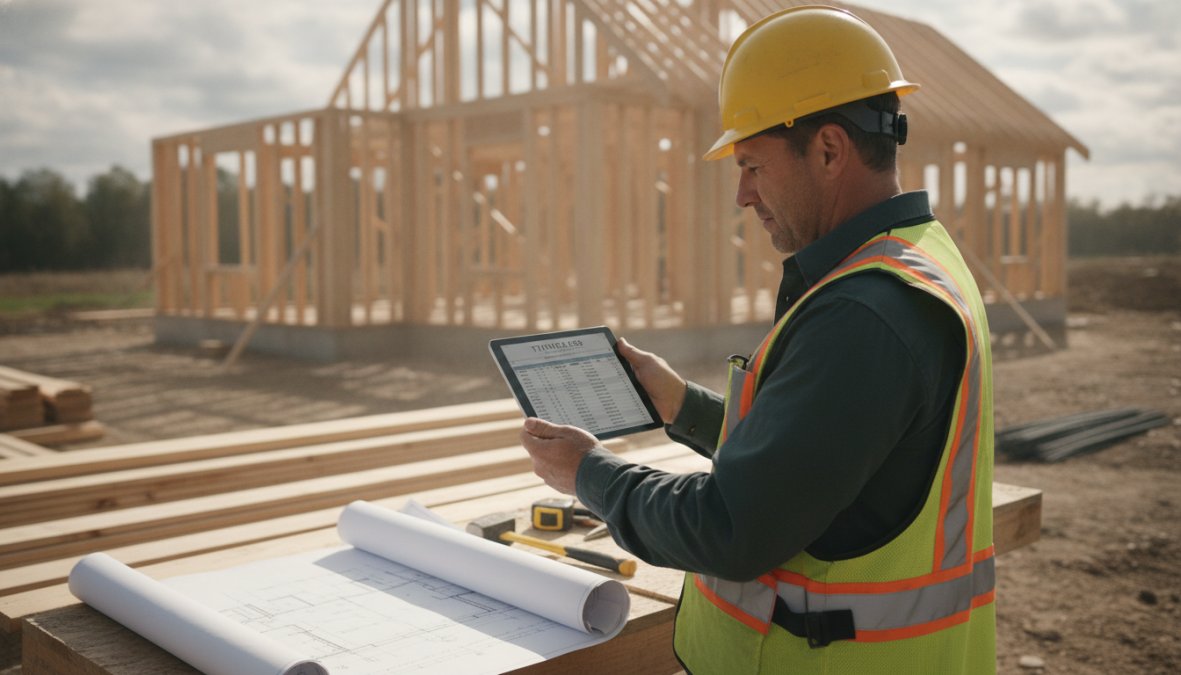
Small builders need professional project management without the overhead that justifies enterprise software. The best software for small builders is cloud-based, has quick onboarding, and charges per-project or per-user rather than requiring minimum contracts. CoConstruct and Houzz Pro hit this sweet spot.
Implementation ROI for small builders is immediate. A PM who spends 5 hours per week managing email, spreadsheets, and phone calls recovers that time within the first month. That's 250 hours per year equivalent to a full-time employee working on value-added tasks.
Mobile App and Field Accessibility
For small builders with limited office staff, a strong mobile app is essential. The PM or owner needs to manage projects from the job site, not just from a desk. The best mobile apps let users photograph progress, update timelines, approve change orders, and communicate with clients from a phone or tablet. Subcontractors can log daily work and report material deliveries without waiting for the PM to visit the site.
How to Choose Construction Software for Your Business
Define Your Workflow and Integration Needs
Before evaluating software, map your current workflow. How do you currently manage selections? How do you track budgets? How do clients communicate with you? How do subcontractors report progress?
Your ideal software should simplify these existing workflows, not force you to change how you operate. If you're heavily invested in QuickBooks, prioritize software with native integration. Also consider your team's technical comfort, simpler software that your team actually uses beats powerful software that becomes shelf-ware.
Evaluate Data Security and Client Privacy Standards
Custom home projects involve sensitive information, client financial details, home addresses, construction schedules, and design selections. Your software must protect this data with encryption in transit and at rest, regular security audits, and compliance with industry standards like SOC 2.
Understand the platform's data ownership policy. If you leave the software, can you export your data? These details matter for long-term business continuity.
Calculate Onboarding ROI and Team Adoption
The true cost of software isn't the monthly fee, it's the time required to implement, train your team, and migrate existing projects. If implementation costs $2,000 and the software saves 10 hours per month, the ROI is 4 months. Also factor in team adoption, software that requires 8 hours of training per person will see slower adoption than software that's intuitive enough to learn in 30 minutes.
Where Each Platform Wins: Use-Case Recommendations
Choose Buildertrend if you're managing 5-20 active custom home projects simultaneously and need a single unified platform for scheduling, budgeting, and client communication.
Choose CoConstruct if your projects are highly customized with extensive selections management and cost-plus contracts.
Choose Houzz Pro if you're a design-build firm that wants to integrate design visualization with project management and marketing.
Choose UDA ConstructionSuite if you're an established firm with 20+ employees managing large, complex projects where detailed documentation and advanced scheduling are essential.
Choose Timeless General Contracting if you're building custom homes in Pictou County and want a builder that combines professional project management with transparent client communication. Our real-time portal and 25 years of experience deliver both quality craftsmanship and the visibility that modern homeowners expect.
Conclusion
Selecting custom home building project management software requires balancing features, cost, and team adoption. The right platform eliminates administrative overhead, keeps clients informed, and prevents budget overruns, directly improving profitability and reputation.
For builders in Pictou County, Timeless General Contracting combines proven construction expertise with modern transparency tools. Our Client Project Portal keeps homeowners connected to their build in real time, reducing miscommunication while building the trust that leads to referrals and repeat business. Contact Timeless General Contracting to discuss how our approach to transparent project management can elevate your custom home building operation.
External Sources Referenced:
According to Construction Industry Institute research on project management practices, firms implementing real-time project management systems report 15-25% reductions in change orders and improved client satisfaction scores.
National Association of Home Builders 2026 survey on residential construction technology adoption found that builders using integrated project management software spend 30% less time on administrative tasks compared to those using spreadsheet-based workflows.
Research from Dodge Data & Analytics construction technology report indicates that custom home builders prioritize client communication tools and budget tracking as the top two features when evaluating new software platforms.
Frequently Asked Questions
What features should custom home builders look for in project management software?
Custom home builders need software with robust selections management, real-time client portals for transparency, change order workflows, job costing for budget tracking, and subcontractor management capabilities. QuickBooks integration is essential for financial accuracy. Look for platforms that streamline workflow automation, reduce manual data entry, and provide daily logs and RFI tracking for field teams.
How does construction project management software improve client communication?
A client portal enables homeowners to track project progress in real-time, view selections, approve changes, and communicate directly with the builder. This transparency reduces misunderstandings, decreases change order disputes, and improves client satisfaction. Cloud-based platforms provide instant notifications and updates, eliminating delays in information sharing and keeping clients informed throughout their custom home build.
Can construction management software integrate with QuickBooks for accounting?
Yes, most modern construction project management platforms, including Buildertrend, CoConstruct, and UDA ConstructionSuite, offer seamless QuickBooks integration. This connection allows job costing data, purchase orders, and financial reports to flow directly into your accounting system, eliminating duplicate data entry and ensuring budget tracking accuracy across your residential construction projects.
Is construction software worth it for small custom home builders?
For small builders managing multiple projects, the ROI is significant. Construction project management software reduces administrative time, minimizes budget overruns through accurate job costing, and improves client retention via transparent communication. Even a single builder can benefit from workflow automation, mobile field management, and centralized scheduling. The key is choosing scalable software that grows with your business.
What should you look for when choosing construction software for your business?
Evaluate your specific workflow needs: scheduling, selections management, subcontractor coordination, and budget tracking. Assess integration requirements (QuickBooks, email, mobile apps). Consider implementation time and team adoption, complex software requires training investment. Review data security for client privacy, especially if storing homeowner information. Compare pricing models and whether the platform scales as your project volume grows.
This article was written using GrandRanker